
Quick answer: To run multiple PGs from your phone, standardise rules across properties, give each manager limited access, and use one dashboard that shows rent collected, vacancy, complaints and expenses for every building. Review a short daily snapshot and a longer weekly report, and visit properties for quality checks rather than for routine data entry.
The first PG usually runs on the owner's presence. You are there, you know every tenant and you catch problems by walking around. The second property breaks that model. You cannot be in two places at once, and information starts living in two heads, two notebooks and two WhatsApp groups.
Owners who scale well do not work harder. They build a system that shows them the right numbers and lets managers run daily work. This guide describes that system.
Why a second property feels harder than the first
Three things change when you add a building:
- Information splits. Rent, complaints and vacancy are recorded in different places.
- Trust becomes necessary. You depend on managers for money and tenant care.
- Quality drifts. Rules, cleanliness and pricing differ between buildings unless you standardise them.
Each of these has a practical fix.
Step 1: Standardise before you scale
Write one set of rules and use it everywhere:
- agreement template and notice period
- rent due date, grace days and late fee
- house rules
- deposit policy and refund timeline
- complaint response times
- move-in and move-out checklists
- pricing logic by sharing type
Differences should come from the market, not from habit. When rules match, tenants and staff are never confused, and you can train a new manager in a day. See our guide on PG house rules and notice periods and lock-in rules.
Step 2: Put every property in one dashboard
You need one place that answers five questions for all buildings:
| Question | Metric |
|---|---|
| Are we getting paid? | Rent collected vs due, overdue amount |
| Are beds filled? | Occupancy, beds on notice, upcoming vacancies |
| Are tenants happy? | Open complaints and average closing time |
| Are costs under control? | Expenses by category per property |
| Are we profitable? | Monthly profit per property and per bed |
If you need to message three managers to answer these, your system is too manual. The PG Master Owner App provides a multi-property dashboard where you can switch between buildings or see the combined picture. Read more about multi-property and chain control.
Step 3: Set up roles and limited access
Not everyone needs to see everything. A good setup:
- Owner: full access to all properties, finances and settings.
- Property manager or warden: tenants, rent status, complaints and room changes for their building only.
- Accountant: expenses, reports and payment records.
- Cook or housekeeping staff: their task lists only.
Role-based access protects your financial data and prevents accidental changes. See the guides on role-based warden permissions and how to manage PG staff and wardens.
Step 4: Automate the repeating work
Anything that happens every month should not rely on memory:
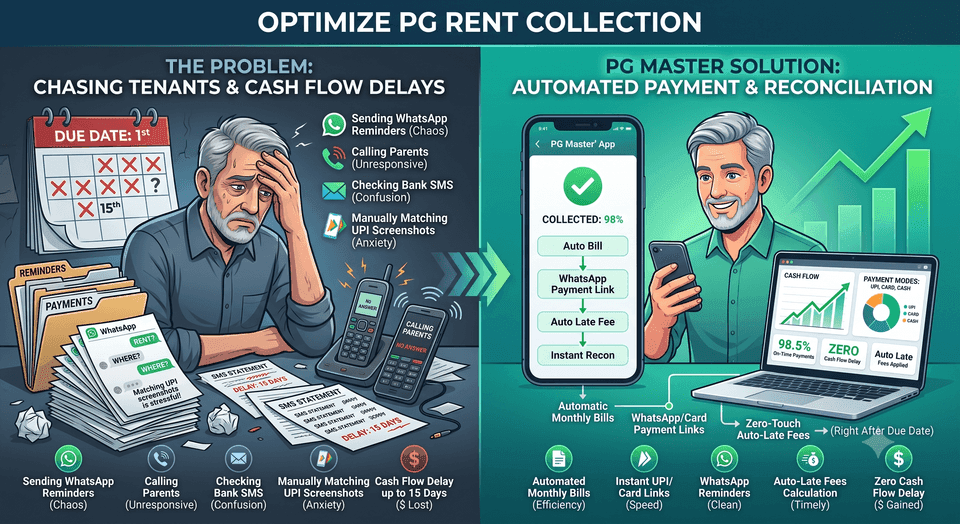
- rent bills and reminders
- late fees
- rent receipts
- notice-period alerts
- complaint assignment
Automation matters more as you grow, because one forgotten task becomes ten. Read about multi-property rent automation.
Step 5: Build a daily and weekly routine
Remote management works because of rhythm, not constant checking.
Daily (5 minutes, on your phone)
- Rent received today and overdue total
- New enquiries, move-ins and notices
- Open complaints older than 48 hours
- Any alert from managers
Weekly (30 minutes)
- Occupancy and upcoming vacancies by property
- Collection rate against the previous week
- Complaint closing times
- Expenses against the budget
- One conversation with each manager about what is blocking them
Monthly (1-2 hours)
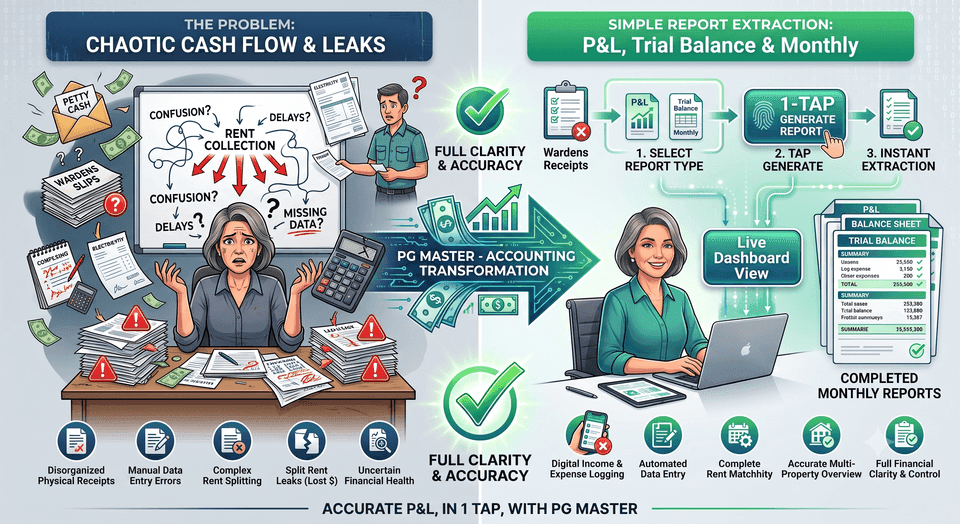
- Profit and loss by property
- Compare buildings: which has the best occupancy, collection and lowest cost per bed?
- Decide one improvement for each property
Step 6: Use visits for quality, not data entry
Visit each property on a planned schedule with a checklist: cleanliness, safety equipment, food quality, staff behaviour, tenant feedback and maintenance. Talk to two or three tenants each time. Your presence should improve quality, while the system carries the numbers.
Step 7: Control cash and leakage
Money leaks faster across multiple properties. Reduce the risk with a few rules:
- Prefer UPI and bank transfers over cash, and record every cash receipt the same day.
- Reconcile payments weekly against bank statements.
- Approve expenses above a set amount.
- Rotate managers' checks between properties occasionally.
- Keep an audit trail of changes to rent, deposits and room allocation.
Step 8: Compare properties fairly
Do not judge a building only on total profit. Compare:
| Measure | Why it matters |
|---|---|
| Occupancy % | Demand and marketing |
| Collection rate | Management discipline |
| Cost per bed | Efficiency |
| Profit per bed | Overall health |
| Complaint closing time | Service quality |
| Tenant turnover | Satisfaction and stability |
If one property lags, find the cause before changing the manager. It may be price, location or building condition.
A simple growth path
Many owners follow this order:
- One property, strong systems. Fix rent, vacancy and records first.
- Second property in the same area. Reuse suppliers, staff and the same app.
- Standard operating procedures. Write them as checklists.
- Hire or promote an operations lead. Delegate routine checks.
- Third property and beyond. Add buildings only when each existing one runs without you daily.
For a step-by-step planning view, read the second PG branch checklist and the guide on scaling from 1 PG to 10 branches.
Common mistakes
- Opening a second PG before the first runs smoothly.
- Using different rules in each building.
- Giving managers full access to money and settings.
- Tracking each property in a separate file.
- Checking everything daily instead of relying on exceptions.
- Skipping manager training and written procedures.
- Ignoring profit by property and only watching total income.
What to look for in multi-property software
When you compare tools, check that they offer:
- a combined and per-property view
- role-based access
- separate and combined reports
- the ability to move a tenant between properties
- consistent rules and templates
- a mobile app that works well for managers
- support that helps you set up each new building
Use our software buyer's checklist as a guide. You can see the multi-branch profit and loss reports that PG Master provides.
Frequently asked questions
Can I manage multiple PGs from one app? Yes, if the software supports multiple properties under one account, with a dashboard and reports for each building and a combined view.
How do I stop managers from misusing money? Use limited access roles, prefer digital payments, reconcile payments against bank statements, and keep an audit trail of changes.
How many PGs can one owner manage remotely? It depends on systems and managers rather than a fixed number. Add a new property only when existing ones run reliably without daily involvement.
Do I need a different app for each property? No. One account with multiple properties keeps data together and saves time.
What should I check first on a weekly review? Collection rate, upcoming vacancies and open complaints, as these show problems earliest.
Start with one dashboard
If you manage more than one building, put them in one view. Install the PG Master Owner App or book a demo and ask to see the multi-property dashboard.
Stop Chasing Rent & Juggling Spreadsheets
ApnaRent helps 170+ owners send automated WhatsApp rent reminders, track live bed vacancy, collect digital KYC, and reconcile expenses in real time.

More from ApnaRent
View all articles Starting a PG
PG vs Hostel vs Co-Living: Which Model Should You Run?
ApnaRent · 6 Jan 2027 · 7 min
 Finance and Profit
PG Owner KPIs: 10 Metrics to Track to Grow Profit
ApnaRent · 5 Jan 2027 · 7 min
 Finance and Profit
PG Owner's Monthly Closing Checklist: Rent, Expenses and Reports
ApnaRent · 2 Jan 2027 · 7 min