
Quick answer: A complete, active Google Business Profile helps your PG appear when people search "PG near me" or "PG in [area]". Claim your listing, choose accurate categories, add a clear name and address, upload real photos, collect honest reviews, reply to every review and keep information current. Then follow up quickly on each call and message, because the profile only wins the enquiry; your response wins the booking.
Most people looking for a PG start with a search on their phone. They look at the map, scan photos and ratings and call two or three places. If your PG is not in that shortlist, you never get the chance to explain your value. A well-kept Google Business Profile is free and is often the most valuable marketing asset a local PG has.
Step 1: Claim or create your profile
Search for your PG on Google Maps. If a listing exists, claim it. If not, create one through Google's Business Profile tools and complete verification, which can take a few days. Use an account the business controls, not a staff member's personal email, so you do not lose access.
Step 2: Get the basics right
| Field | Tips |
|---|---|
| Business name | Use your real, consistent name. Do not stuff keywords |
| Category | Choose the most accurate primary category and relevant secondary ones from the options Google offers, such as hostel or paying guest accommodation |
| Address and map pin | Make sure the pin is exact. Add landmarks in the description |
| Phone | A number answered quickly, ideally one that is monitored all day |
| Hours | Set realistic hours, including when enquiries get answered |
| Website | Link to your site or booking page |
| Description | Clear, specific and honest, within Google's rules |
Do not add fake locations, fake reviews or fake names. Google's policies prohibit such practices, and they can cause suspension.
Step 3: Write a description that helps
Describe who you serve and what is included. For example: location, nearby colleges or offices, room types, food, Wi-Fi, security, laundry and distance to transport. Avoid claims you cannot support. Mention what makes you different without exaggeration.
Step 4: Add photos that sell
Photos are among the strongest factors in a tenant's decision. Add:
- exterior and entrance
- each room type, clean and well lit
- bathrooms
- common area, kitchen and dining
- food on a plate
- security features such as the gate and lighting
- the neighbourhood or nearby landmarks
Take photos in daylight, tidy rooms first and show real spaces. Add new photos regularly. See how to build a listing that converts.
Step 5: Ask for reviews the right way
Reviews influence both ranking and trust.
- Ask satisfied tenants after a positive moment, such as a resolved issue or a renewal.
- Share your review link by message.
- Make it easy: a short link, a polite note, no pressure.
- Never pay for reviews, post fake ones or review-gate (only asking happy customers in a way that violates policy).
- Reply to every review, positive or negative, politely and specifically.
For a negative review, thank the person, apologise if appropriate, state what you will do and invite them to contact you. Prospective tenants read your replies as much as the review.
Step 6: Post updates
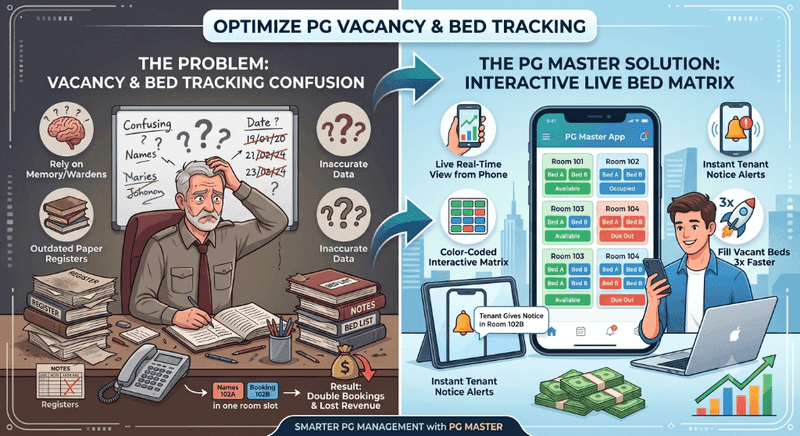
Use posts for offers, vacancies, festival notes and new facilities. A simple "2 beds available from 1 December, near [landmark]" post is helpful. Update vacancies promptly, because people will call asking about an outdated post. If you track your vacant beds live, publishing availability is easy. See live bed occupancy tracking.
Step 7: Use Q&A and messaging carefully
Check the questions section and answer common questions yourself in a clear way. If messaging is on, commit to replying quickly. If you cannot respond fast, consider turning it off so enquiries do not sit unanswered.
Step 8: Track what works
Google Business Profile shows how many people viewed your listing, called, requested directions or visited your website. Check monthly, note changes after updates and keep a simple call log asking each new enquiry "How did you find us?"
What to do when an enquiry arrives
The profile gets the call. What happens next decides the booking.
- Answer quickly, or call back within minutes.
- Ask what they need: budget, move-in date, sharing preference, location.
- Send photos and the price on WhatsApp.
- Invite them for a visit and fix a time.
- Follow up within a day if they do not confirm.
Read our guide to a walk-in and enquiry follow-up system.
Common mistakes
- Unclaimed or duplicate listings.
- Wrong pin or address.
- Photos that are dark, old or unrelated.
- Keyword-stuffed names.
- Ignoring reviews.
- Missed calls.
- Outdated vacancy information.
- Different prices on different platforms.
A weekly routine (20 minutes)
- Reply to new reviews.
- Add one photo or post.
- Check calls and messages missed.
- Update vacancy information.
- Ask one happy tenant for a review.
How software helps
Enquiries lose value when nobody tracks them. The PG Master Owner App shows live bed availability so you can answer "Do you have a bed?" correctly, and keeps tenant and room data in one place. Pair that with a profile that is complete and active, and you reduce lost leads.
A sample profile description to adapt
"Girls' PG near [landmark], [area]. Single, double and triple sharing rooms with attached bathrooms, home-style vegetarian and non-vegetarian meals, Wi-Fi, daily housekeeping, laundry and CCTV in common areas. 8 minutes' walk from [metro/bus stop]. Visitors are allowed in the lounge between set hours. Call to book a visit." Replace the details with yours, keep it truthful and avoid superlatives. Short, concrete lines read better on a phone than long paragraphs. Update the description when you add a facility or change a rule, so what people read matches what they find when they arrive.
Reading your profile insights
Every month, look at how people found you, what they searched, how many called and how many asked for directions. If views are high and calls are low, review your photos, price visibility and reviews. If calls are high but few turn into visits, review how you answer the phone. If directions are requested but few arrive, check that your pin and landmarks are correct. These simple readings show you where the pipeline leaks, so you improve the part that matters rather than guessing.
Frequently asked questions
Is a Google Business Profile free? Yes. Creating and managing a profile does not cost money, though ads are separate.
How do I rank higher on Google Maps for PGs? Complete your profile, choose accurate categories, collect genuine reviews, add good photos and keep information updated. Relevance, distance and prominence all play a part.
Can I add my PG if I do not have a signboard? Verification requirements vary. Follow Google's instructions during setup.
What do I do about a fake negative review? Report it through Google's process and reply politely. Do not respond with anger.
How often should I update the profile? Check weekly and update whenever vacancies, prices or facilities change.
Next step
Open your profile today and complete every section. To track vacancies and tenants in one place, try the PG Master Owner App or book a demo.
Stop Chasing Rent & Juggling Spreadsheets
ApnaRent helps 170+ owners send automated WhatsApp rent reminders, track live bed vacancy, collect digital KYC, and reconcile expenses in real time.

More from ApnaRent
View all articles Starting a PG
PG vs Hostel vs Co-Living: Which Model Should You Run?
ApnaRent · 6 Jan 2027 · 7 min
 Finance and Profit
PG Owner KPIs: 10 Metrics to Track to Grow Profit
ApnaRent · 5 Jan 2027 · 7 min
 Finance and Profit
PG Owner's Monthly Closing Checklist: Rent, Expenses and Reports
ApnaRent · 2 Jan 2027 · 7 min