
Quick answer: A PG listing that converts has bright, honest photos of every room type, a headline that says who it is for and where it is, a short description with real details (price, what is included, distance to key places), a clear price structure with no surprises and a fast way to enquire. Update it whenever availability changes. Listings that look vague or outdated lose enquiries to those that are specific.
People scroll through dozens of PG listings in minutes. They decide in seconds whether to call. Your listing has to answer three questions fast: Is it near where I need to be? Is it clean and safe? Can I afford it? This guide shows you how to answer those clearly on any platform, including your own social pages and Google profile.
Photos: the first filter
Photos do most of the work. Poor photos make a good PG look bad.
What to shoot
- Exterior and gate, showing the entrance and street
- Each room type, from a corner that shows the bed, storage and window
- Bathrooms, clean and bright
- Common areas, such as lounge, study corner or terrace
- Kitchen and dining area
- A plate of typical food
- Security features: gate, lighting, CCTV notice
- Laundry and Wi-Fi areas if you offer them
How to shoot
- Use natural light and open curtains.
- Clean and tidy the room first. Make beds and remove clutter.
- Hold the phone horizontally.
- Shoot from the corner at chest height for a wider view.
- Do not use filters that change colours.
- Do not use stock images or photos of other properties. People notice, and it hurts trust.
How many? Enough to show every room type and common area, usually 10 to 20, with the best ones first. Put the cleanest room and the entrance early.
A short video walkthrough of 30 to 60 seconds can help people who cannot visit immediately.
Headline
Say who it is for and where. For example:
- "Girls' PG near [college], 5 min walk, with food and Wi-Fi"
- "Furnished PG for working professionals near [tech park]"
- "Boys' hostel in [area], single and sharing rooms"
Mention the gender policy, location landmark and the biggest benefit. Avoid empty phrases such as "best PG" or "luxury" unless the listing shows why.
Description template
Keep it scannable. Adapt this template:
[PG name] – [type] PG in [area], [city]
Location: [x minutes] from [college/office/metro]. Rooms: Single, double and triple sharing with [AC/non-AC], cupboard, study table and attached/common bathroom. Food: [meals included], vegetarian/non-vegetarian options, weekly menu. Facilities: Wi-Fi, laundry, housekeeping, power backup, drinking water, CCTV in common areas. Rent: From ₹[amount] per bed per month. Security deposit ₹[amount], refundable as per agreement. Notice period: [30] days. Visiting: Call [number] to book a visit between [time] and [time].
Add a short line about rules that matter most: visitor policy, gate timing and so on.
Price presentation
Price is the most-clicked detail and the most common cause of lost trust.
- Show the rent per bed per month.
- Say what is included: food, electricity, Wi-Fi, laundry.
- State deposit, any joining fee and notice period clearly.
- Do not hide extra charges. A tenant who finds them later will complain and leave a poor review.
- Use the same price everywhere. Differences between platforms look suspicious.
If you charge different amounts for different sharing types, list them in a small table. See how to set rent per bed pricing.
Show proof, not adjectives
| Instead of | Write |
|---|---|
| "Very safe" | "Gate with guard, CCTV in common areas, visitors logged" |
| "Good food" | "Veg and non-veg options, weekly menu, home-style cooking" |
| "Near everything" | "6 minutes' walk to [bus stop/metro], 10 minutes to [college]" |
| "Clean" | "Daily housekeeping of common areas, weekly room cleaning" |
| "High-speed Wi-Fi" | "Wi-Fi on every floor, [speed] connection" (only if true) |
Specific details create trust and filter out poor-fit enquiries.
Where to publish
- Google Business Profile (see this guide)
- Your own website or landing page
- Property and PG listing platforms in your city
- Social media pages
- College and office notice boards or groups, when allowed
- Referrals from current tenants
Use the same photos, name and phone number across platforms.
Make enquiring easy
- Put a phone number that is answered during stated hours.
- Add a WhatsApp number or link for quick questions.
- Reply quickly with photos and the price.
- Offer a visit or a video tour.
- Ask for the move-in date and budget in your first reply.
Keep it fresh
Outdated listings waste both your time and the visitor's. Update:
- when beds fill or become available
- when prices change
- when you add facilities
- after a refurbishment, with new photos
- once a month at minimum, to check that everything is correct
If you know your availability live, updates are easy. See live bed occupancy tracking and how to fill empty beds in 30 days.
Common mistakes
- Dark, blurry or reused photos
- Missing price
- Vague address or wrong pin
- Hidden charges
- Fake claims, such as "100% safe"
- Inconsistent phone numbers
- No gender or type mentioned
- Not replying to messages
- Never refreshing the listing
How software helps
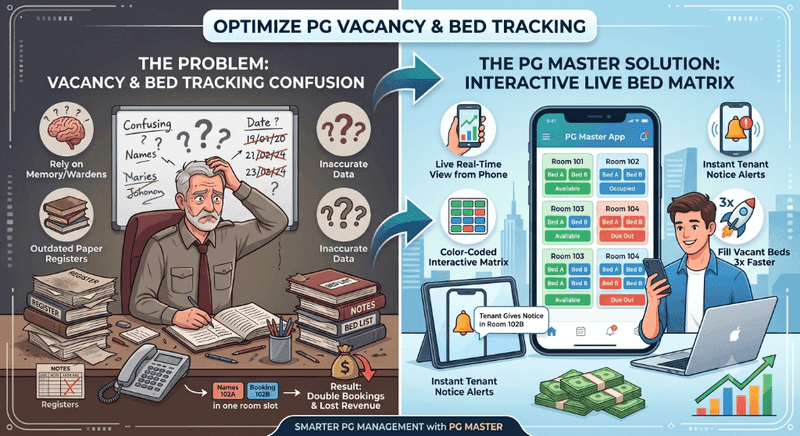
A listing is only as good as your knowledge of what is vacant and what a prospect needs. The PG Master Owner App shows live bed availability by room and property so your answer to "do you have a bed?" is accurate, and keeps the tenant record clean once they join.
Test your listing like a stranger
Show your listing to someone who has never seen your PG and ask three questions: Where is it? What would I pay each month, and what is included? Would I feel safe here? If they cannot answer in ten seconds, rewrite. Then compare your listing with the three best ones nearby. Note what they show that you do not, such as a video, a menu or the distance to a landmark, and add it if it is true for you. Small improvements to the first photo and the headline often lift the number of calls, because they are the parts most people look at before deciding to read more.
Frequently asked questions
How many photos should a PG listing have? Enough to cover every room type and common area, commonly 10 to 20, with the strongest first.
Should I show the price in the listing? Yes. A visible price saves time for both sides and builds trust. Make clear what is included.
Is a video useful? Yes. A short walkthrough helps prospects who cannot visit quickly, such as those relocating.
Can I use photos from other PGs? No. Use your own photos. Misleading photos damage trust and may breach platform rules.
How often should I update my listing? Whenever availability or price changes, and review it at least monthly.
Next step
Retake your five weakest photos this weekend and rewrite your headline using the template. To keep availability accurate, try the PG Master Owner App or book a demo.
Stop Chasing Rent & Juggling Spreadsheets
ApnaRent helps 170+ owners send automated WhatsApp rent reminders, track live bed vacancy, collect digital KYC, and reconcile expenses in real time.

More from ApnaRent
View all articles Starting a PG
PG vs Hostel vs Co-Living: Which Model Should You Run?
ApnaRent · 6 Jan 2027 · 7 min
 Finance and Profit
PG Owner KPIs: 10 Metrics to Track to Grow Profit
ApnaRent · 5 Jan 2027 · 7 min
 Finance and Profit
PG Owner's Monthly Closing Checklist: Rent, Expenses and Reports
ApnaRent · 2 Jan 2027 · 7 min