
Quick answer: To convert more PG enquiries, log every lead (name, number, budget, move-in date, source), reply within minutes with photos and price, offer a visit, follow up at set intervals (same day, day 2, day 5, day 10) and take a booking token to hold a bed. Most lost enquiries are not lost to competitors; they are lost to silence. A shared lead log and a short script fix that.
Imagine a prospect calls on Tuesday evening. The manager says, "Come tomorrow." The prospect does not come. Nobody calls back. Two weeks later, a bed is still empty. That is not a marketing problem, it is a follow-up problem. You already paid for the lead through your listing, your signboard or your reputation. Handling it well costs almost nothing.
Why follow-up matters
- Most people who enquire about a PG talk to several places.
- The one that replies first and clearly often gets the visit.
- Many enquirers need a reminder, not a hard sell.
- Without a record, nobody knows who to call back.
Step 1: Capture every lead in one place
Use a simple sheet, notebook or app that everyone on your team shares. Record:
| Field | Example |
|---|---|
| Date and time | 12 Oct, 6:40 PM |
| Name | Priya |
| Phone | +91 98xxxxxx |
| Source | Google, Instagram, walk-in, referral |
| Need | Girls' double sharing, AC |
| Budget | ₹8,000 to ₹9,000 |
| Move-in date | 1 Nov |
| Status | New / Visit planned / Visited / Token paid / Lost |
| Next action and date | Call on 13 Oct |
| Notes | Wants near-metro |
If it is not logged, it did not happen.
Step 2: Reply fast
Speed matters. Aim to answer calls and messages within minutes during working hours. If you cannot, set an auto-reply or a callback promise: "We'll call you within 30 minutes."
Your first reply should include:
- greeting and your PG's name
- the answer to their question (availability, price)
- two or three photos or a short video
- what is included and the deposit
- an invitation to visit with a suggested time
A sample message:
Hi Priya, thanks for contacting [PG name] in [area]. We have a double sharing AC room from ₹[amount]/month, food and Wi-Fi included. Deposit ₹[amount]. Here are photos and a short video. Would you like to visit tomorrow evening? I can reserve a time for you.
Step 3: Qualify politely
Ask three or four questions to understand fit:
- Who is the room for: student, working professional?
- Budget range?
- Move-in date?
- Any must-haves: food type, AC, location, gate time?
Not every lead is a fit. Politely redirecting someone whose budget does not match saves everyone time. Note it for the future.
Step 4: Make the visit easy and effective
- Confirm the visit by message the day before and the morning of.
- Share the exact pin and landmarks.
- Have the room ready and clean.
- Introduce the manager and show the common areas, kitchen and security.
- Be honest about rules and costs. It builds trust.
- Let them talk to current tenants if you can.
- End with a clear next step: "If you like it, you can hold this bed with a token of ₹[amount] today."
Step 5: Follow up on a schedule
| When | Action |
|---|---|
| Same day | Send thanks, photos and key details |
| Day 2 | Ask if they have questions; mention limited availability honestly |
| Day 5 | Share a new detail, such as a menu or review |
| Day 10 | Final check-in; offer to keep the lead for future |
| After that | Move to "lost" or "future" with a reason |
Keep messages short and useful, not pushy. If someone asks you to stop, stop.
Step 6: Take a booking token
A token reserves a bed and signals commitment. Be clear about:
- the amount
- what it adjusts against
- the date by which they must join
- whether it is refundable and under what conditions
Put it in writing and give a receipt. Unclear token rules lead to disputes. See the tenant onboarding checklist.
Step 7: Learn from lost leads
Every week, review leads marked "lost" and ask why:
- price too high
- location not suitable
- chose another place
- no response
- timing mismatch
If the same reason repeats, you have a signal to act on, such as adjusting price, improving photos or fixing response time.
Track the numbers
| Metric | Why |
|---|---|
| Enquiries per week | Demand |
| Visits per enquiry | Quality of first reply |
| Bookings per visit | Quality of visit and price |
| Average days to fill a bed | Speed |
| Best sources | Where to spend effort |
Even rough numbers show you where the pipeline leaks.
Common mistakes
- No log, so leads are forgotten
- Slow replies
- Saying "come and see" without sharing price or photos
- Pushy follow-up
- Not following up at all
- Overpromising availability
- Unclear token terms
- Not asking how the person found you
Who should do it?
If you have a manager, define their role in enquiries clearly and review the log with them weekly. If you do it yourself, set a daily 15-minute slot to call back and update the log.
How software helps
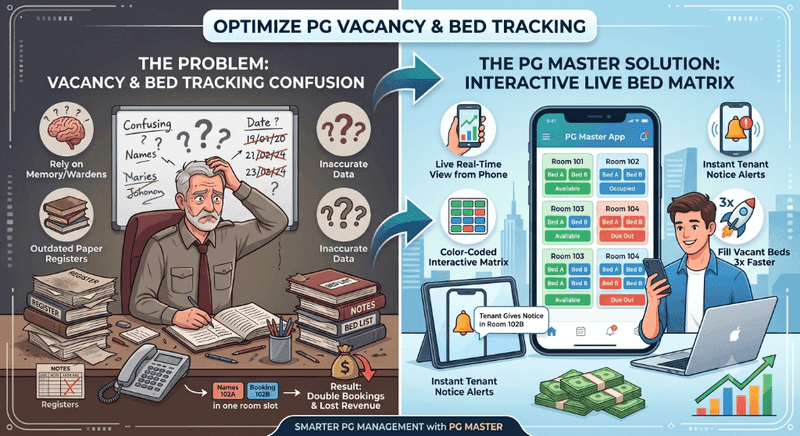
Follow-up is easier when you know what is available right now and what is about to be vacant. The PG Master Owner App shows live bed availability across properties so you can promise accurately, and it keeps tenant records, payments and agreements after the booking. See the live bed vacancy matrix.
A sample week of follow-ups
Monday: three enquiries arrive. You reply within the hour to each with photos and prices and offer visit slots. Tuesday: one visits and likes the room. You send the token details the same evening. Wednesday: one asks for more time. You note a check-in for Friday. Thursday: the third does not reply. You send a short message offering a video tour. Friday: the second confirms and pays a token. Next Monday: you move the unresponsive lead to "future" after one last message. Notice that every step has a next action and date. That is the whole system: nobody is left without a next step, and nothing depends on memory.
Scripts for common situations
If someone says, "I'll think about it," reply, "Of course. Would it help if I send a short video of the room and the menu? I can hold the bed until tomorrow evening." If someone says the price is high, ask which room type fits their budget and explain what is included. If someone asks for a discount, avoid improvising. Decide in advance what you can offer, such as a free laundry plan for the first month, and apply it consistently. If someone does not reply after several follow-ups, close politely and keep their number for future vacancies. Scripts keep your replies calm and consistent, whoever answers the phone.
Frequently asked questions
How quickly should I respond to a PG enquiry? As quickly as you can, ideally within minutes. If you cannot, set expectations with a callback time.
How many times should I follow up? A few times over about ten days, with useful information each time, then pause.
Should I take a token amount? It helps hold a bed and shows commitment. Make the terms clear in writing.
What if the prospect says the price is too high? Explain what is included, show value, and consider whether a different room type fits. Avoid discounting without a plan.
Is WhatsApp enough for managing enquiries? For a few leads, yes, but log them in a shared sheet or tool so nothing is missed.
Next step
Create the lead log today and follow up on every enquiry from the last two weeks. To see live availability and manage tenants once they join, try the PG Master Owner App or book a demo.
Stop Chasing Rent & Juggling Spreadsheets
ApnaRent helps 170+ owners send automated WhatsApp rent reminders, track live bed vacancy, collect digital KYC, and reconcile expenses in real time.
More from ApnaRent
View all articles Starting a PG
PG vs Hostel vs Co-Living: Which Model Should You Run?
ApnaRent · 6 Jan 2027 · 7 min
 Finance and Profit
PG Owner KPIs: 10 Metrics to Track to Grow Profit
ApnaRent · 5 Jan 2027 · 7 min
 Finance and Profit
PG Owner's Monthly Closing Checklist: Rent, Expenses and Reports
ApnaRent · 2 Jan 2027 · 7 min