

Quick answer: Excel and registers work for a PG with a handful of stable tenants. You should switch when you spend more than a few hours a month on rent follow-ups, cannot see empty beds instantly, manage more than one property, or have staff who need to update records. Most owners feel the pain between 20 and 40 beds.
Excel is not the enemy. Many successful PG owners started with a notebook and a spreadsheet, and for ten beds with the same tenants for years, it may be all you need. The real question is when the cost of the spreadsheet, in time, mistakes and missed income, becomes larger than the cost of software.
Here are nine signs that point to that moment.
Sign 1: You spend hours every month chasing rent
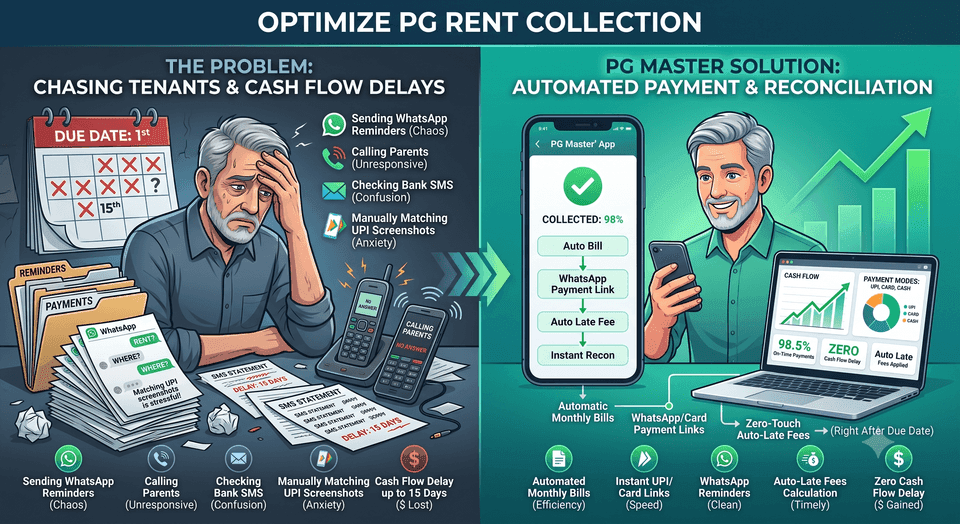
If you open WhatsApp on the 5th of every month to remind each tenant one by one, you are doing work a system can do. Automatic reminders before and after the due date, with a payment link, remove most of the chasing. Our rent reminder message templates show what good reminders look like, whether you send them manually or automatically.
Sign 2: You are not sure which beds are empty today
In a spreadsheet, vacancy is something you work out. You scan rows, subtract notice periods and hope nobody changed a cell. A live bed view shows green and red at a glance. Every day a bed sits empty without you knowing is lost rent. Use our guide to calculating the cost of an empty bed to see what this really costs.
Sign 3: Two people edit the file and things go wrong
The moment your manager, warden or family member also updates the sheet, you get conflicting versions, overwritten cells and "who changed this?" arguments. Excel has no real permission levels, so anyone with the file can change any payment.
Sign 4: Partial months and late fees confuse you
A tenant joins on the 17th, another leaves on the 9th, and a third pays five days late. Calculating each case by hand is slow and easy to get wrong. Mistakes are usually small, such as a few hundred rupees, but they repeat every month and create disputes. Our guide on pro-rata rent for partial months explains the arithmetic.
Sign 5: Tenant documents live in five different places
Aadhaar photos in WhatsApp, agreements in a folder, deposit receipts in a notebook. When a tenant moves out or an authority asks for records, you lose time looking. Software keeps documents against each tenant profile.
Sign 6: You have, or plan to have, a second property
Separate files for each building make it hard to see the whole business. A multi-property dashboard gives you one view of collections, vacancy and expenses across all locations.
Sign 7: You cannot answer "how much profit did I make last month?"
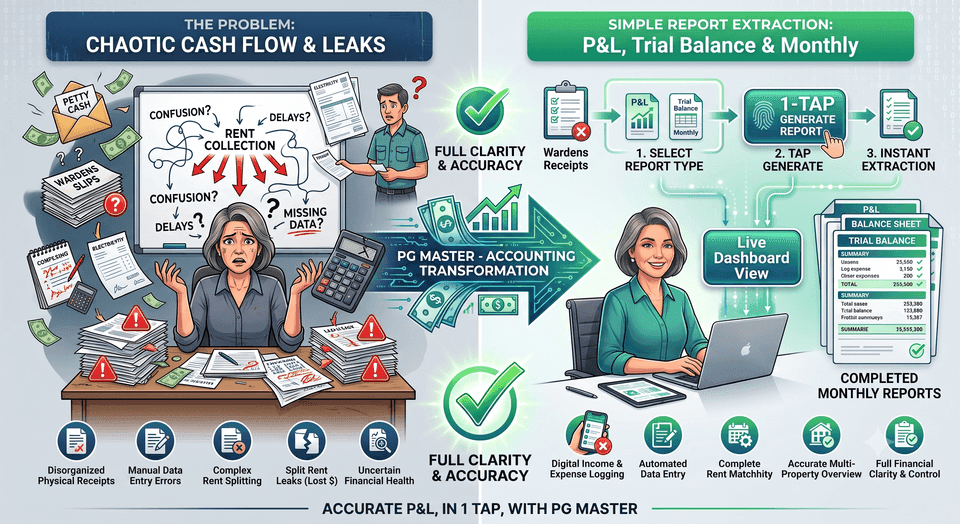
If rent is in one sheet, expenses are on paper and salaries are in your head, profit is a guess. Linking rent, expenses and salaries gives a real monthly profit and loss figure.
Sign 8: You are afraid to go on holiday
If the PG runs only because you check it daily, the business owns you. Staff access with limited permissions and daily dashboards make it possible to step back safely. See our post on running a PG as an absentee owner.
Sign 9: Tenants ask for receipts and you create them by hand
Many working tenants need rent receipts for HRA. Writing each receipt manually takes time, and any missing detail can cause problems later. Software generates receipts automatically each time rent is paid.
What Excel does well
To be fair, spreadsheets have real strengths:
- They are free and everyone knows how to use them.
- You can build any report you imagine.
- They work offline.
A simple rent sheet with columns for tenant, bed, due date, amount paid and balance is a good starting point. If you want to stay on Excel a little longer, read our guide to a PG rent tracker in Excel, including where it stops working.
Excel vs a PG management app: direct comparison
| Task | Excel or register | PG management app |
|---|---|---|
| Rent reminders | Manual, one by one | Automatic, via app and WhatsApp |
| Accepting rent | Cash or separate UPI checks | UPI links with status updated |
| Late fees | Calculated by hand | Set once, applied automatically |
| Vacancy view | Scan rows | Live bed map |
| Staff access | Shared file, no limits | Role-based access |
| Tenant documents | Scattered | Stored on each profile |
| Multi-property view | Several files | One dashboard |
| Reports | Build yourself | Built-in profit and loss |
How to switch in a weekend
The fear of switching is usually worse than the work. A practical plan:
- Friday evening: Clean your sheet. Make one row per tenant with name, phone, bed, rent, deposit and joining date.
- Saturday: Import the sheet or enter one floor, set rent dates and late-fee rules, and run both systems side by side.
- Sunday: Check the totals match. Tell tenants how to pay and share the app link.
- Next month: Close the spreadsheet once your first cycle matches.
Do not try to move five years of history. Move active tenants and their current balances. Keep the old file as an archive.
PG Master offers free data migration from Excel during onboarding, so you do not have to type everything again. See the full guide on moving from spreadsheets to PG Master and the PG Master vs Excel comparison.
What it costs to wait
Waiting has a price. Add up three numbers: the hours you spend each month on rent and records, the rent that arrives late or not at all, and the beds that sit empty longer than they should. Even small amounts multiplied by twelve months can exceed a year of software fees. You can read more in our guide on why manual rent registers fail.
Try it without committing
The PG Master Owner App has a free trial, so you can add one floor and see how it feels before moving everything.
Frequently asked questions
At how many beds should I move from Excel to software? There is no fixed number, but many owners feel the strain around 20 to 40 beds, or as soon as they have a second property or a manager updating records.
Will I lose my old data if I switch? No. Keep the spreadsheet as an archive and import active tenants. Check that the software lets you export your data at any time.
Is a PG management app safe for tenant data? Ask any vendor where data is stored, who can access it, and how ID documents are protected. See our post on storing tenant documents safely.
Do my tenants need to learn something new? Tenants mostly need to open a payment link and pay by UPI. That is simpler than sending a screenshot on WhatsApp.
What if my staff are not comfortable with apps? Start with one task, such as marking rent received, and add others slowly. A simple interface matters more than a long feature list. Use our software buyer's checklist when comparing options.
Ready to try?
If three or more of these signs sound familiar, run a one-week trial. Book a demo or install the PG Master Owner App and start with one floor.
Stop Chasing Rent & Juggling Spreadsheets
ApnaRent helps 170+ owners send automated WhatsApp rent reminders, track live bed vacancy, collect digital KYC, and reconcile expenses in real time.

More from ApnaRent
View all articles Starting a PG
PG vs Hostel vs Co-Living: Which Model Should You Run?
ApnaRent · 6 Jan 2027 · 7 min
 Finance and Profit
PG Owner KPIs: 10 Metrics to Track to Grow Profit
ApnaRent · 5 Jan 2027 · 7 min
 Finance and Profit
PG Owner's Monthly Closing Checklist: Rent, Expenses and Reports
ApnaRent · 2 Jan 2027 · 7 min